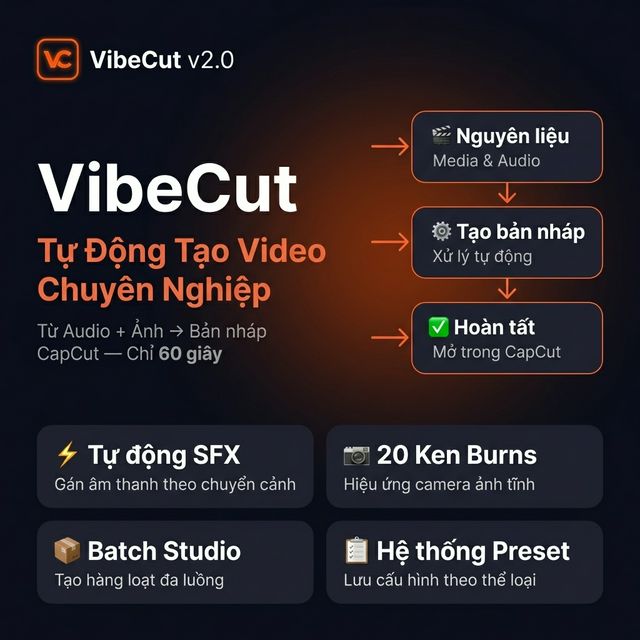
Drop your audio, pick your visuals β VibeCut handles the rest. Create stunning CapCut drafts in seconds, not hours.
See how easy it is to create a CapCut draft automatically.
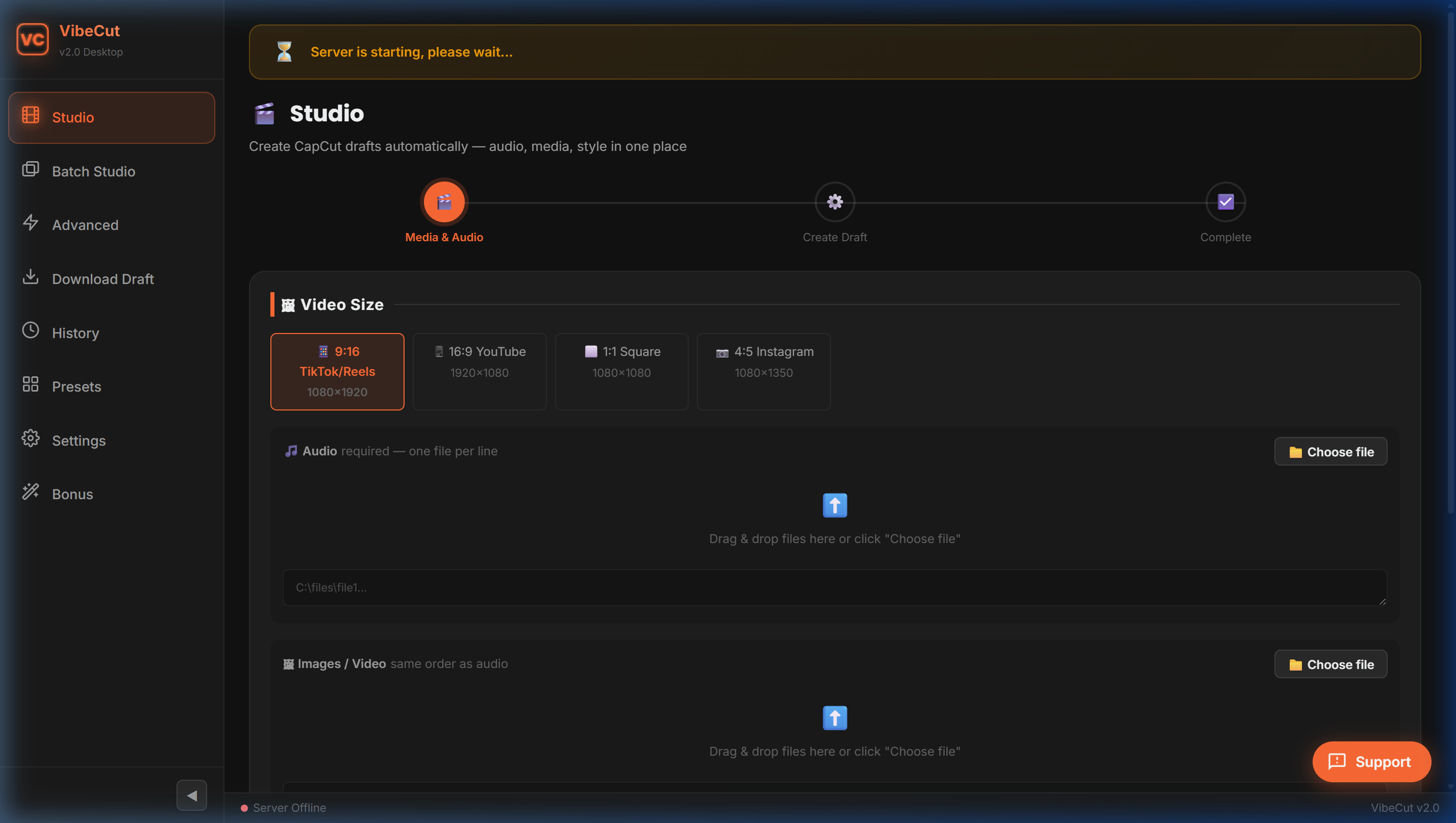
Drag & drop your voiceover, images, and video clips into the Studio.
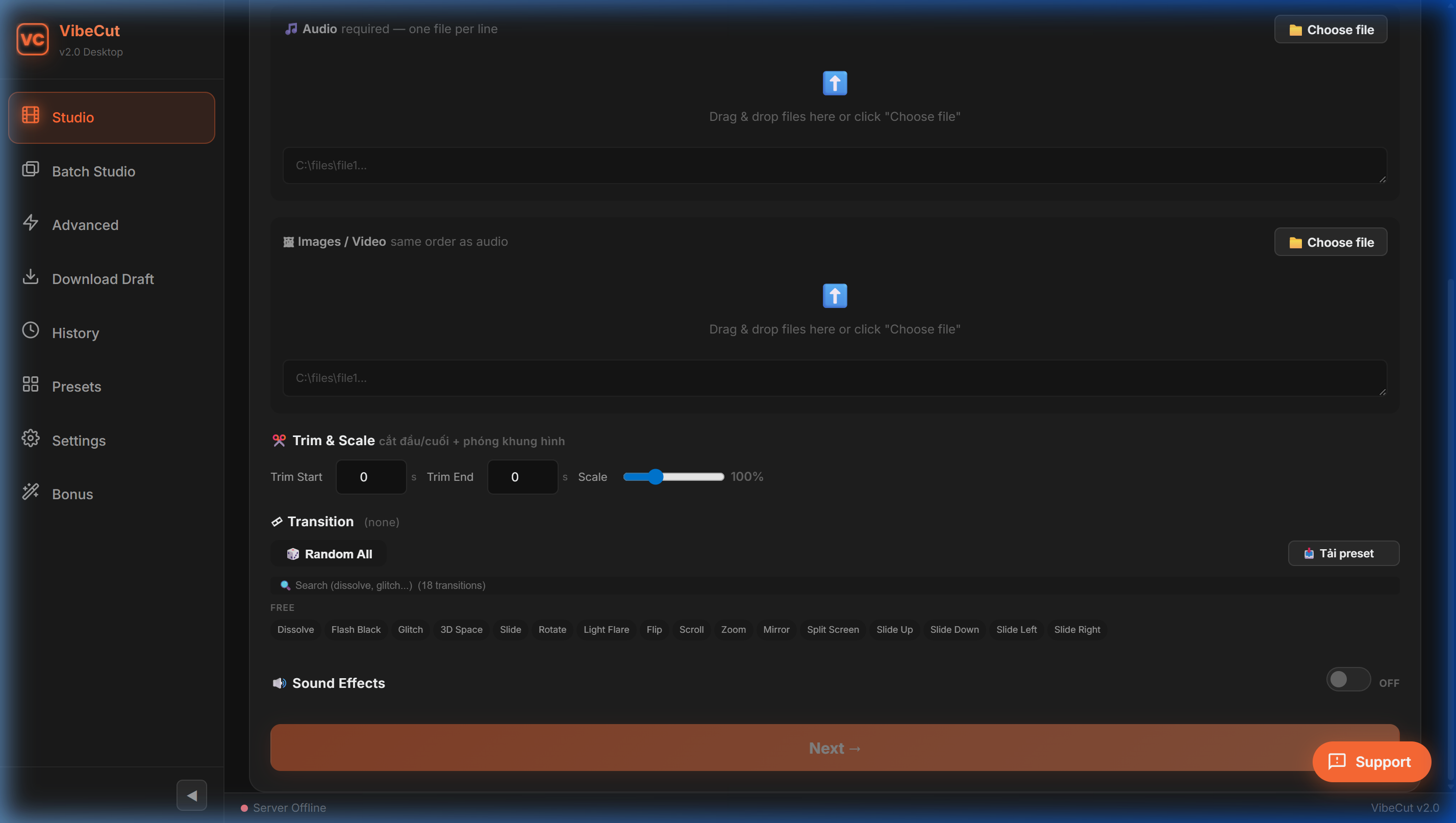
Select dimensions, transition pool, and enable Auto SFX. Click Next.
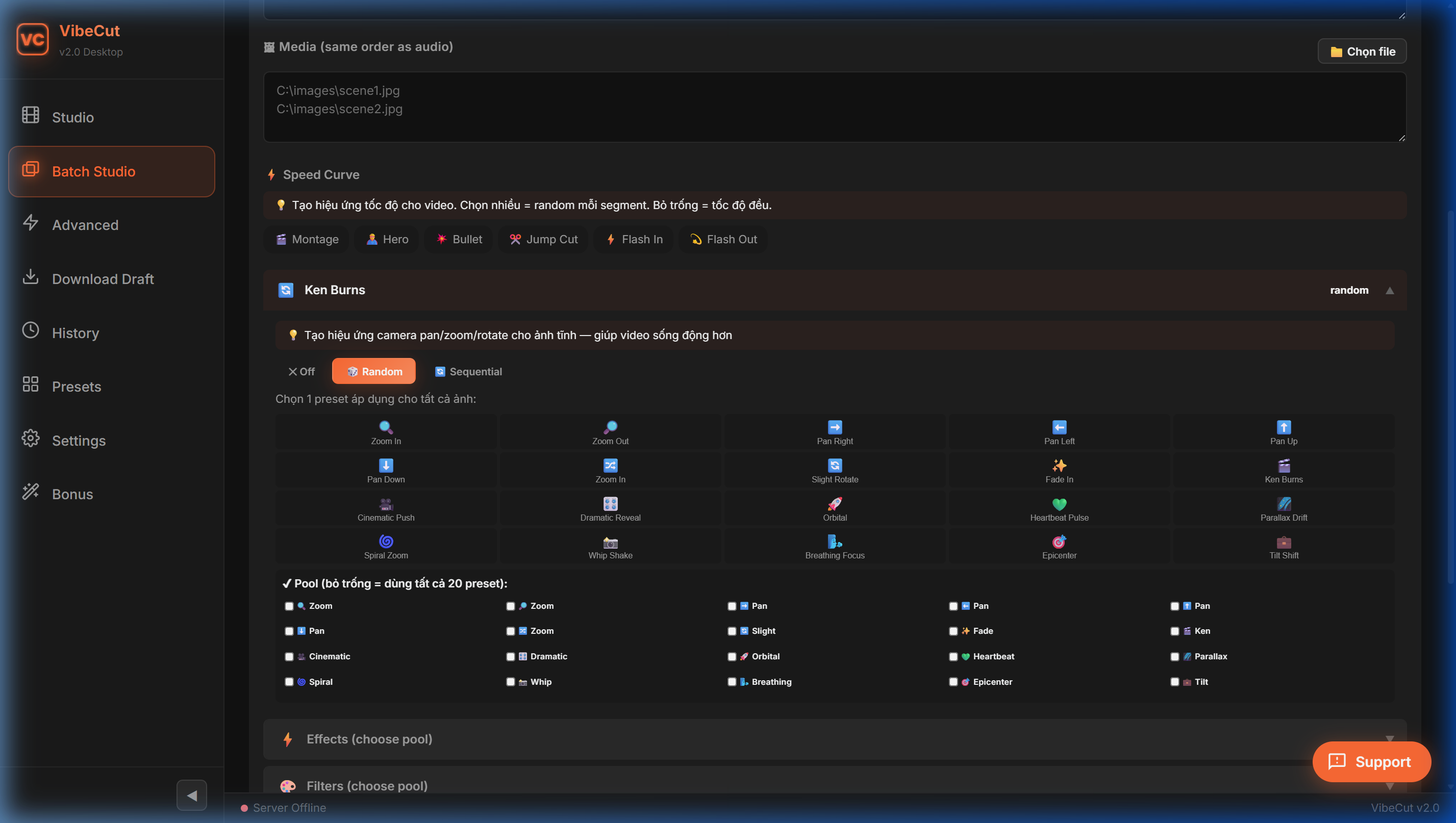
Add Ken Burns motion, filters, effects, and subtitles. Click Apply All.
Your multi-track draft is ready. Sync directly to CapCut Desktop for final tweaking.
From single drafts to bulk production β VibeCut turns your raw files into ready-to-edit CapCut projects.
Drop audio + images/videos and get a fully structured CapCut draft in one click. Transitions, text overlays, and timing β all automated.
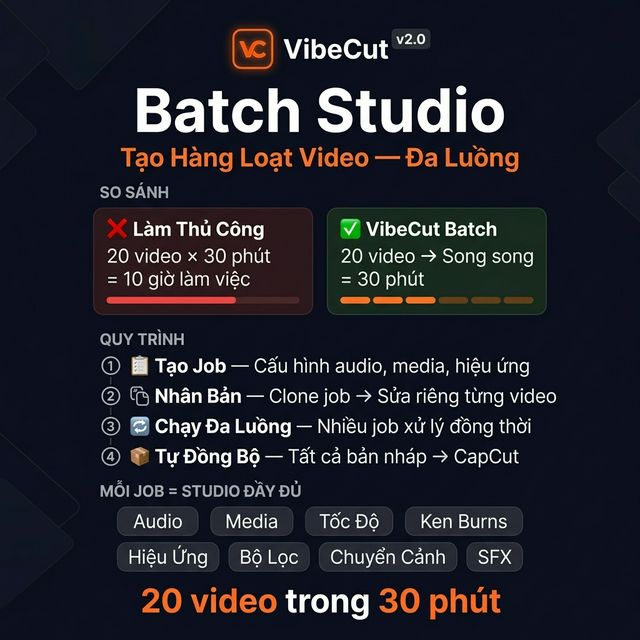
Process multiple videos at once with bulk automation. Perfect for agencies and creators managing dozens of projects.
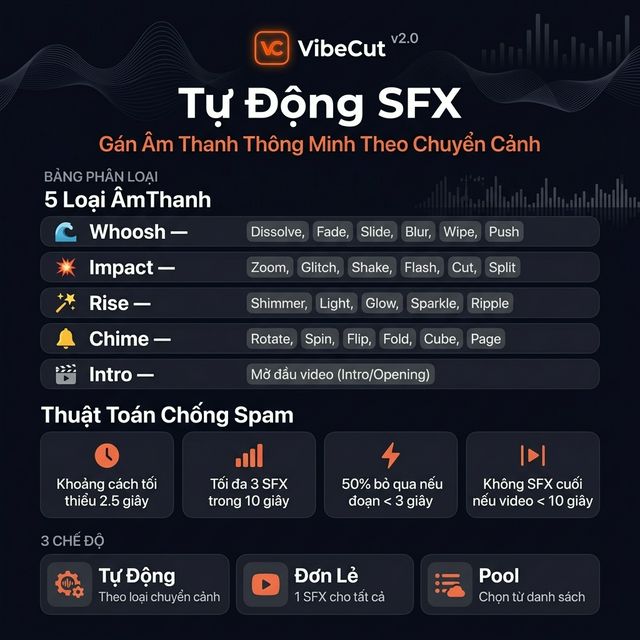
Smart peak analysis maps optimal whooshes, impacts, and rises to every transition with anti-spam logic.
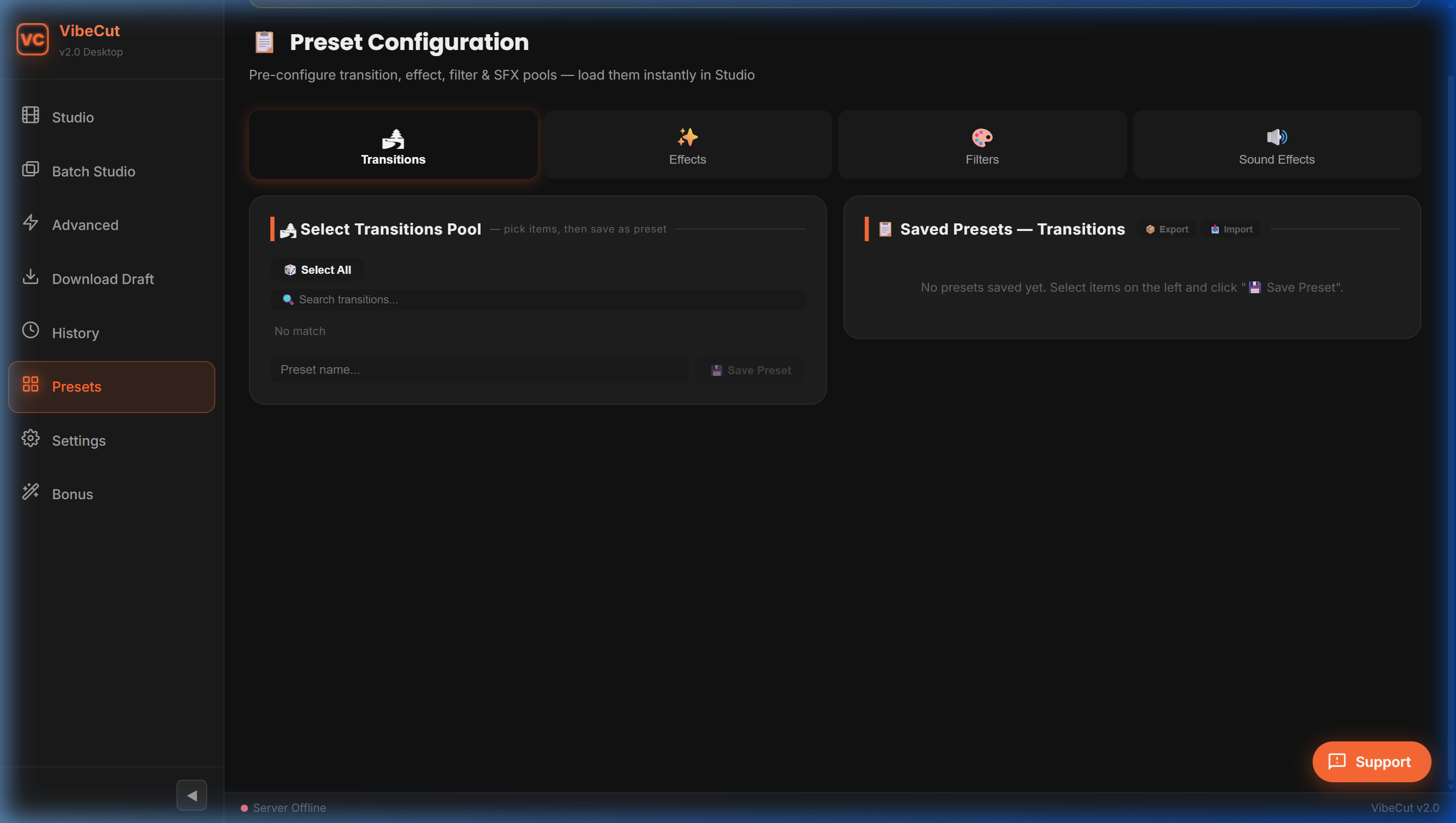
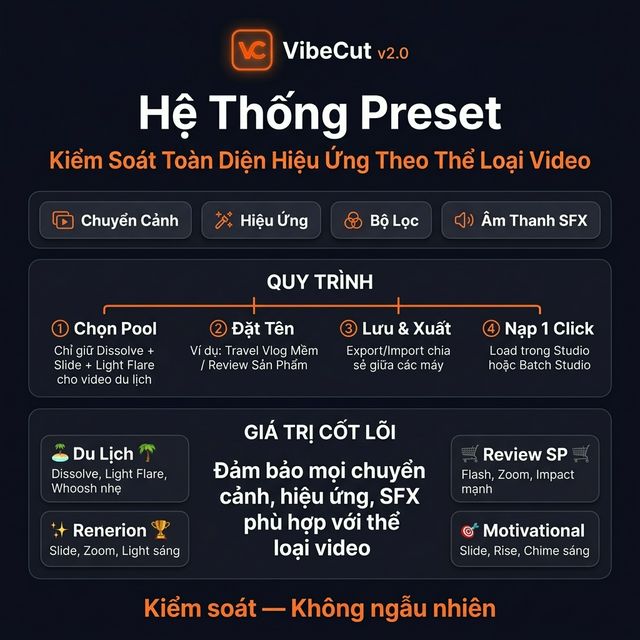
Save and load complex configurations of transitions, effects, and filters in a single click for consistent branding.
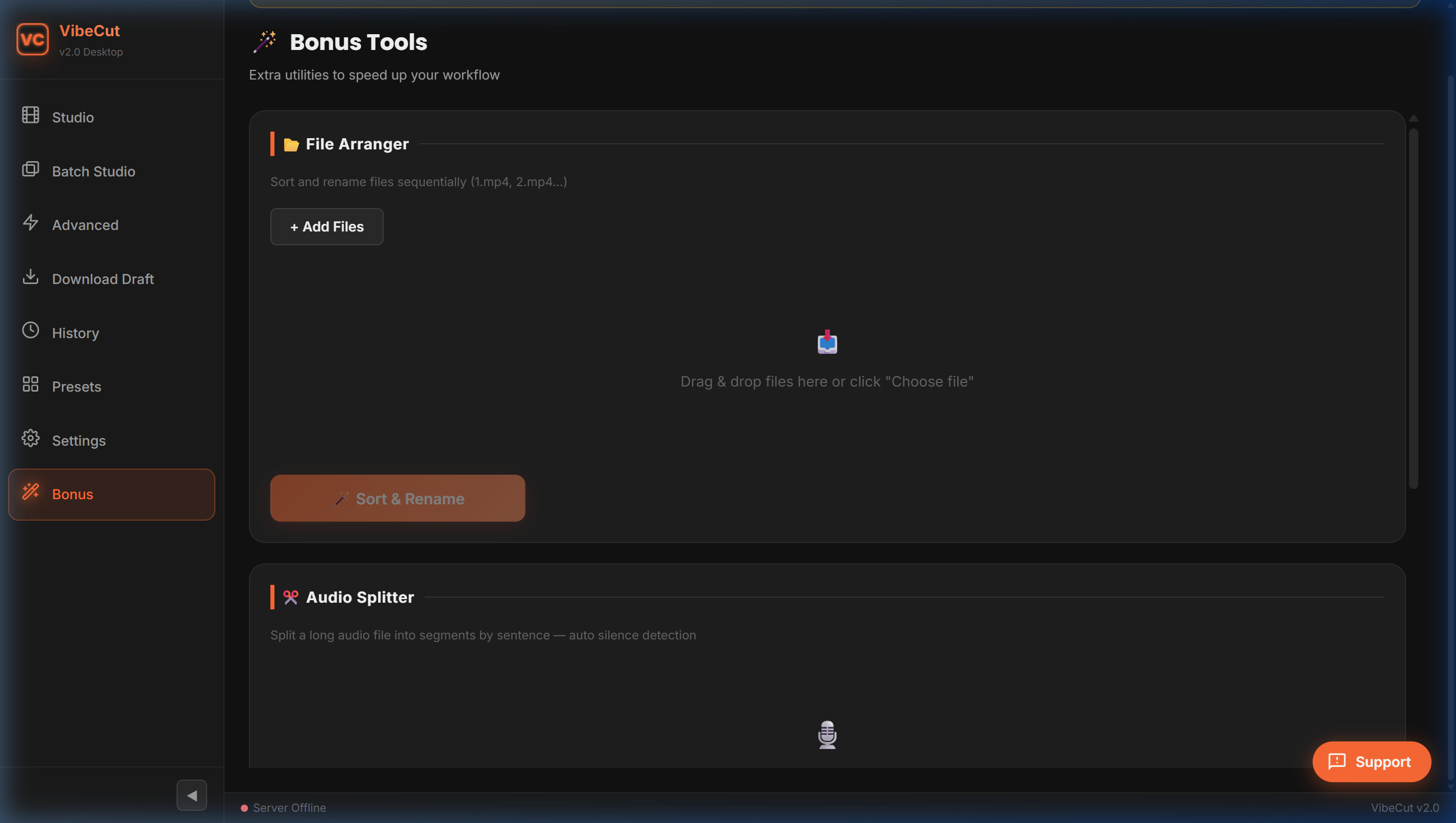
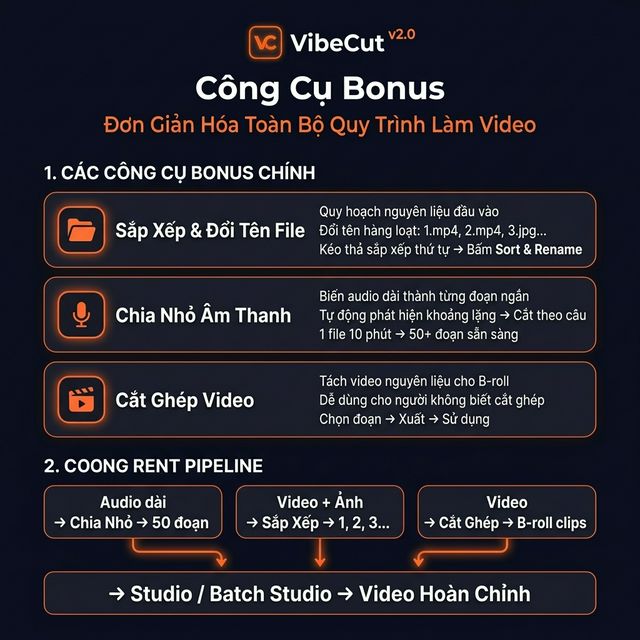
Sort media files and split long audio files into sentence-level segments automatically to prep your assets.
Full English & Vietnamese interface. Switch languages instantly from Settings β no restart needed.
A premium dark-mode interface designed for speed and clarity.
β Most Used
π₯ Power User
π Audio
π Library
π Utilities
Discover the core technologies that no other software has.
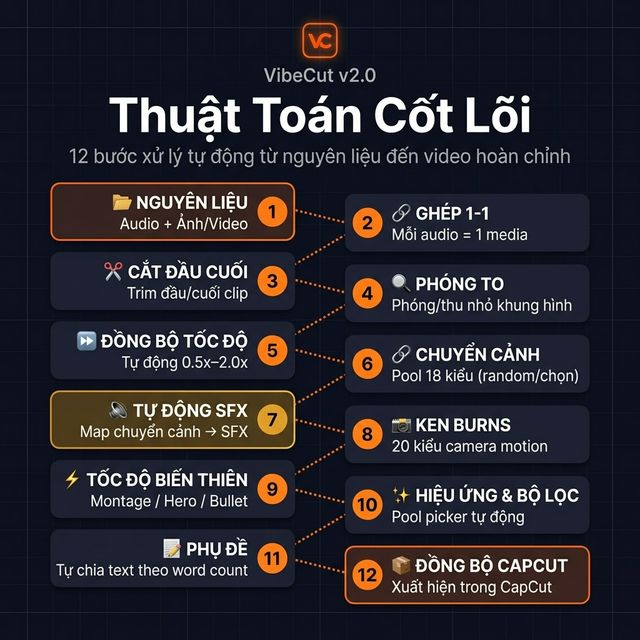
VibeCut replaces manual editing with an intelligent 12-step pipeline. Instead of dragging and syncing, the core engine processes everything from speed synchronization to Ken Burns motion in under 60 seconds.
Build dozens of videos concurrently natively on your system. By processing jobs simultaneously, VibeCut drastically cuts down rendering times for bulk projects.
The software automatically maps peak-aligned sound effects according to the specific transition keyword (swish, hit, rise), ensuring professional-grade audio impacts.
Maintain massive visual consistency. The Preset architecture allows you to granularly control what transitions, filters, and effects are injected into your specific project niche.
VibeCut doesn't just create draftsβit prepares your raw materials. It comes with a full suite of offline utilities to streamline your asset management before the edit pipeline even begins.
Every feature automated. Every minute saved.
| Feature | π© Manual CapCut | π VibeCut |
|---|---|---|
| Keyframe Animation | Add keyframes 1 by 1, calculate position/scale/rotation manually | β 20 Ken Burns presets β random, sequential, or custom pool |
| Effects | Browse library, drag to each clip, adjust timing manually | β 6 presets (Cinematic, Dynamic, Dreamy, Retro DVβ¦) β 1 click |
| Filters | Apply filters per clip, adjust intensity one by one | β 7 filter presets with intensity control β auto-apply all |
| Transitions | Add between each clip manually, repeat for every cut point | β 17+ transitions, π² random mode, auto-apply everywhere |
| Auto SFX | Find and drag SFX manually, zoom in to align peaks | β Keyword-based SFX with precision Peak Alignment |
| Preset System | Not available natively β recreate combinations manually | β Save transitions, effects, and filters as reusable presets |
| Captions / SRT | Type text, time start/end, position β per subtitle line | β Import SRT, auto-position with font/color/size control |
| Audio Sync | Manually align audio to visuals, trim and offset each clip | β Drop audio β auto-sync timeline segments instantly |
| Batch Processing | Not possible β edit one project at a time | β Process entire folders β 10, 50, 100 videos at once |
| Time Per Project | 30β60 minutes | β‘ Under 60 seconds |
No learning curve. VibeCut is designed for speed.
Drag & drop your audio files and images/videos into VibeCut's Studio.
Pick a template β TikTok, Reels, Cinematic, Podcast, or custom settings.
Your draft is ready! Import into CapCut and fine-tune to perfection.
See what our users are saying about VibeCut.
"VibeCut saved me hours every week. I batch-create 20+ TikToks and it handles all the CapCut drafts automatically. Game changer!"
"As an agency, we produce 50+ videos per week. VibeCut's Batch Studio cut our production time by 80%. The ROI is insane."
"The Composer is brilliant. I can fine-tune every segment, add Ken Burns effects, and export to CapCut in one click. Love the dark UI!"
No subscriptions, no hidden fees. Pay once and own VibeCut forever.
Buy once β own forever
7-day money back guarantee
Everything you need to know about VibeCut.
Download VibeCut for free and enjoy 3 days of full access β all features, no limits. When the trial expires, purchase a license key on Gumroad to continue using VibeCut.
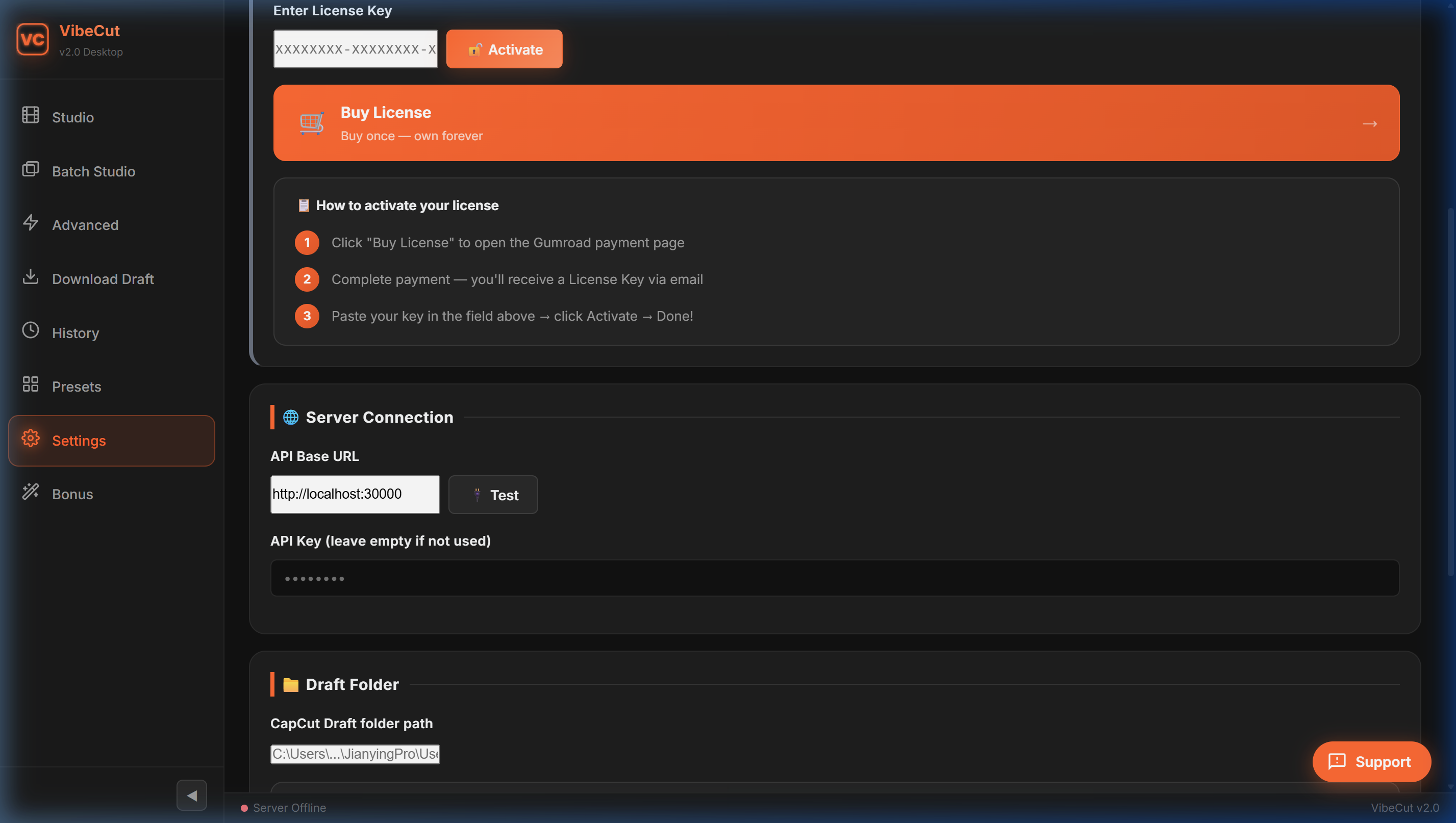
After purchasing on Gumroad, you'll receive a license key via email. Open VibeCut β Settings β paste the key β click Activate. Done!
Yes! You need internet once to activate your license. After that, VibeCut works completely offline β no connection needed.
VibeCut works with CapCut Desktop (PC version). Mobile and web versions are not supported.
Currently VibeCut is Windows-only. Mac support is planned for a future release.
Contact us via Zalo (+84 366 886 652) or Telegram (@lucsix6). We usually reply within minutes!
Each license key is valid for one machine at a time. If you get a new computer, you can transfer your license by contacting support.
No! VibeCut works perfectly with the free version of CapCut. However, if your presets use "Pro" effects, you'll need CapCut Pro to export without a watermark.
VibeCut reads predefined SRT files to sync subtitles perfectly. Alternatively, you can use CapCut's native Auto Captions feature after opening your draft.
Download VibeCut free and create your first draft in under 60 seconds.
Join our affiliate program and earn a 20% commission for every sale you refer.